

How to optimize the performance of a 2 - 24 Pole Pcb Terminal Block?
Aug 25, 2025
Hey there! As a supplier of 2 - 24 Pole PCB Terminal Blocks, I've seen firsthand how crucial it is to optimize their performance. In this blog, I'll share some tips and tricks that can help you get the most out of these nifty little components.
Understanding the Basics
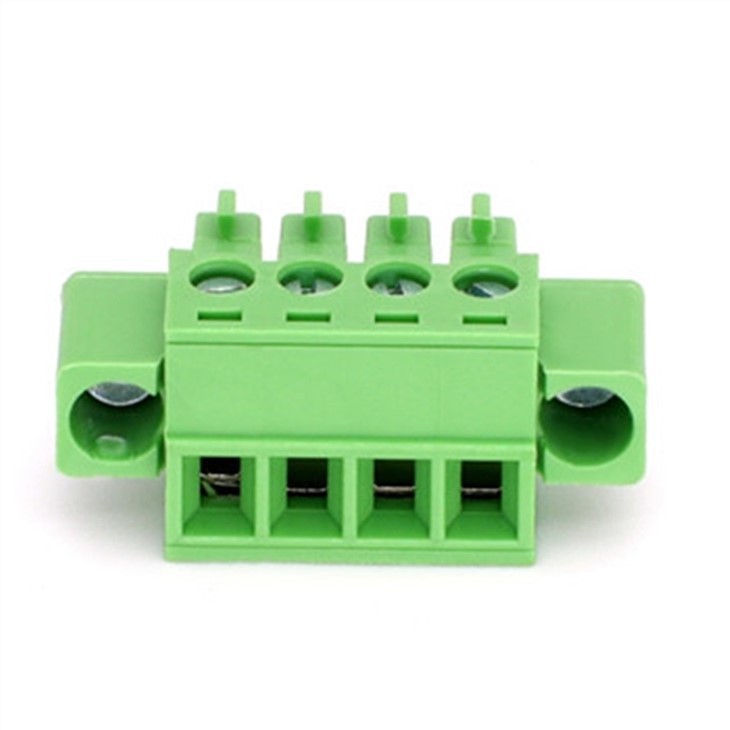
First things first, let's talk about what a 2 - 24 Pole PCB Terminal Block is. It's a device used to connect multiple electrical wires to a printed circuit board (PCB). The "2 - 24 Pole" part refers to the number of connection points or poles on the terminal block. More poles mean you can connect more wires, which is great for complex circuits.
One of the key factors in optimizing performance is choosing the right terminal block for your application. You need to consider things like the current rating, voltage rating, and the type of wires you'll be using. For example, if you're dealing with high - current applications, you'll want a terminal block with a higher current rating.

Proper Installation
The way you install your 2 - 24 Pole PCB Terminal Block can have a huge impact on its performance. Here are some installation tips:
- Clean the PCB: Before installing the terminal block, make sure the PCB surface is clean. Any dirt, dust, or debris can interfere with the electrical connection. You can use a PCB cleaner or isopropyl alcohol to clean the surface.
- Align Correctly: When placing the terminal block on the PCB, ensure it's properly aligned. Misalignment can cause bent pins or poor electrical contact. Double - check the alignment before soldering or using other connection methods.
- Soldering: If you're soldering the terminal block, use the right soldering iron temperature and the correct type of solder. Too high a temperature can damage the PCB or the terminal block, while too low a temperature can result in a poor solder joint. A good rule of thumb is to use a soldering iron with a temperature between 350 - 400°C.
Wiring Techniques
How you wire your terminal block is also important. Here are some wiring best practices:
- Proper Wire Stripping: Strip the wires to the correct length. If you strip too much, the exposed wire can short - circuit with other components. If you strip too little, the wire may not make a good connection with the terminal block.
- Tight Connections: Make sure the wires are tightly connected to the terminal block. Loose connections can cause voltage drops, overheating, and even intermittent electrical failures. You can use a screwdriver or other appropriate tools to tighten the screws or clamps on the terminal block.
- Avoid Overcrowding: Don't try to cram too many wires into a single terminal block. Overcrowding can lead to poor heat dissipation and increased electrical resistance. If you need to connect a large number of wires, consider using multiple terminal blocks or a higher - pole terminal block.
Temperature Management
Temperature can have a significant impact on the performance of your 2 - 24 Pole PCB Terminal Block. High temperatures can cause the insulation on the wires to degrade, increase the electrical resistance, and even lead to component failure. Here are some ways to manage temperature:
- Heat Sinks: In high - power applications, consider using heat sinks to dissipate heat. Heat sinks can be attached to the terminal block or other nearby components to transfer heat away from the terminal block.
- Ventilation: Ensure proper ventilation in the area where the terminal block is installed. Good airflow can help keep the temperature down. You can use fans or vents to improve ventilation.
- Avoid Heat Sources: Keep the terminal block away from other heat - generating components such as power supplies or high - power resistors.
Choosing the Right Connector
There are different types of connectors available for 2 - 24 Pole PCB Terminal Blocks. Here are some popular options:
- 5.00 5.08 Mm PCB Pluggable Connector: These connectors are easy to install and remove, which makes them great for applications where you need to make frequent connections and disconnections. They also provide a reliable electrical connection.
- Stable Safety Screw - free Connector for PCB: Screw - free connectors are convenient and can save you time during installation. They use a spring - loaded mechanism to secure the wires, which provides a stable connection.
- Plug In PCB Terminal Block: Plug - in terminal blocks are designed for quick and easy installation. They can be simply plugged into the PCB, which is great for prototyping or applications where you need to make changes frequently.
Regular Maintenance
Regular maintenance is essential to keep your 2 - 24 Pole PCB Terminal Block performing at its best. Here are some maintenance tips:
- Visual Inspection: Periodically inspect the terminal block for any signs of damage, such as cracked insulation, bent pins, or loose connections. If you notice any issues, replace the terminal block or make the necessary repairs.
- Cleaning: Clean the terminal block regularly to remove any dirt, dust, or corrosion. You can use a soft brush or compressed air to clean the terminal block.
- Testing: Use a multimeter or other testing equipment to check the electrical performance of the terminal block. Test for continuity, resistance, and voltage to ensure everything is working as it should.
Contact Us for More
If you're looking to optimize the performance of your 2 - 24 Pole PCB Terminal Blocks or if you have any questions about our products, don't hesitate to reach out. We're here to help you find the best solutions for your specific needs. Whether you're a small - scale hobbyist or a large - scale manufacturer, we've got the expertise and the products to meet your requirements.
References
- Printed Circuit Board Design and Assembly Handbook, Third Edition
- Electrical Wiring Handbook, 17th Edition
- Terminal Block Installation and Maintenance Guide